
About Dr. Mirzaeian
Dr. Mirzaeian got his PhD from the university of Manchester, UK. He is currently an academic member of staff at Alzahra University, Tehran, Iran.
Name:
Vahid R. MirzaeianAcademic Email:
mirzaeian@alzahra.ac.irDegree:
PhDExperience:
30 YearsPhone:
+989126047452Email:
info@vmirzaeian.irAddress:
ELT Department, Alzahra University, Vanak Street, Tehran, IranWorkshops:
AvailableWorkshops
Hardware
95%
Software
85%
Operating Systems
95%
Microsoft Office
95%
Word Processing
95%
Spreadsheet
95%
Networking
95%
Microsoft Word
95%
Microsoft Excel
95%
Reference Management
95%
Cloud Storage
95%
Google Docs
95%
Google Sheet
90%
Google Slide
90%
Google Form
95%
Online Testing
95%
Time Scheduling
95%
Latex
95%
Open Journal System
95%
Moodle
95%
Wordbasic Programming
95%
Python Programming
95%
Prolog
95%
Microsoft Access
95%
Demo Builder
95%
Wordpress
85%
NetSupport School
85%
Weblog
85%
Online Questionaire
85%
Online Data and File Collection
85%
Personal Website Development
85%
Corpus Linguistics
85%
Computer and Language Lab Management
85%
Education
PhD in Computer Science
University of Manchester | 2000 - 2003
MA in TEFL
Allameh University | 1988 - 1991
BA in Translation
Allameh University | 1984 - 1988
Books
To see the list of books published by Dr. Mirzaeian, click Below.
Click on me.
Papers
To see the list of books published by Dr. Mirzaeian in Google Scholar, click Below.
Click on me.
Work Experience
Head of Industrial Relations
University of Alzahra | 2015 - 2025
Head of Oline Testing
Arak University of Technology | 2010 - 2015
Head of IT center
Iran University of Science and Technology | 2003 - 2010
Workshop Details
Hardware
The aim of this workshop on Computer Hardware is to provide participants with a clear and practical understanding of the fundamental components of a computer system, their functions, and how they work together. The workshop seeks to develop basic skills in identifying, assembling, and troubleshooting hardware components, enabling participants to confidently handle common hardware-related tasks and make informed decisions about computer maintenance, upgrades, and usage.
Software
The aim of this workshop on Software is to familiarize participants with the basic concepts of computer software, including system software and application software, and how they support everyday computing tasks. The workshop aims to develop practical skills in using, installing, and managing software efficiently, while helping participants understand the role of software in enhancing productivity, solving problems, and ensuring the secure and effective operation of computer systems.
Operating Systems
The aim of this workshop on Operating Systems is to help participants understand the role and importance of operating systems in managing computer hardware and software resources. The workshop aims to introduce the core functions of operating systems—such as process management, memory management, file systems, and user interfaces—while developing practical skills in using and configuring common operating systems to ensure efficient, secure, and reliable computer operation.
Microsoft Office
The aim of this workshop on Microsoft Office is to equip participants with essential skills for using common Office applications such as Word, Excel, and PowerPoint to create professional documents, analyze data, and deliver effective presentations. The workshop focuses on improving productivity, accuracy, and confidence in everyday academic and workplace tasks through practical, hands-on experience with Microsoft Office tools.
Word Processing
This workshop introduces participants to the essential skills needed to create, edit, format, and manage digital documents efficiently using modern word-processing software such as Microsoft Word or Google Docs. The workshop covers core functions including typing and text editing, applying styles and formatting, using templates, inserting tables and images, setting page layout options, and creating professional documents like letters, reports, and resumes. Participants also learn practical tools such as spell-check, track changes, comments for collaboration, and file management techniques including saving, exporting, and sharing documents. By the end of the workshop, learners gain confidence in producing clear, polished documents and working productively in both personal and professional contexts.
Spreadsheet
This workshop focuses on building participants’ skills in organizing, analyzing, and presenting data using tools like Microsoft Excel or Google Sheets. It covers essential functions such as entering and formatting data, using basic formulas and functions (e.g., SUM, AVERAGE), sorting and filtering information, and creating simple charts and graphs to visualize data. The workshop also introduces cell referencing, basic data validation, and practical techniques for managing large datasets efficiently. By the end, participants are equipped to use spreadsheets for everyday tasks such as budgeting, record-keeping, and data analysis with greater accuracy and confidence.
Networking
This workshop introduces participants to the fundamental concepts, tools, and practices that enable computers and devices to communicate within local and wide-area networks. It covers the basics of network types, hardware components (such as routers, switches, and cabling), IP addressing, and common networking protocols. Participants learn how data flows across networks, how to configure simple network connections, and how to troubleshoot common connectivity issues. The workshop also touches on essential security practices, including firewalls, secure passwords, and safe network usage. By the end, attendees gain a clear understanding of how networks function and how to manage or support basic network operations effectively.
Microsoft Word
This workshop provides participants with practical skills for creating, editing, and formatting professional-quality documents using one of the most widely used word-processing applications. It covers essential features such as working with text, applying styles and formatting, adjusting page layouts, and inserting tables, images, and other visual elements. The workshop also introduces tools for efficiency and collaboration, including templates, headers and footers, automatic table of contents creation, spell-check and grammar tools, comments, and track changes. By the end of the session, participants will be confident in producing polished documents, managing longer files, and using Word’s advanced tools to streamline their workflow.
Microsoft Excel
This workshop equips participants with the essential skills to organize, calculate, and analyze data using Excel’s powerful features. It covers entering and formatting data, using basic formulas and functions, applying cell references, and working with worksheets and workbooks. Participants also learn to sort and filter data, create charts and graphs for visual analysis, and use basic tools like conditional formatting, data validation, and AutoFill to enhance productivity. By the end of the workshop, learners gain the confidence to manage data efficiently and perform practical tasks such as budgeting, reporting, and simple data analysis.
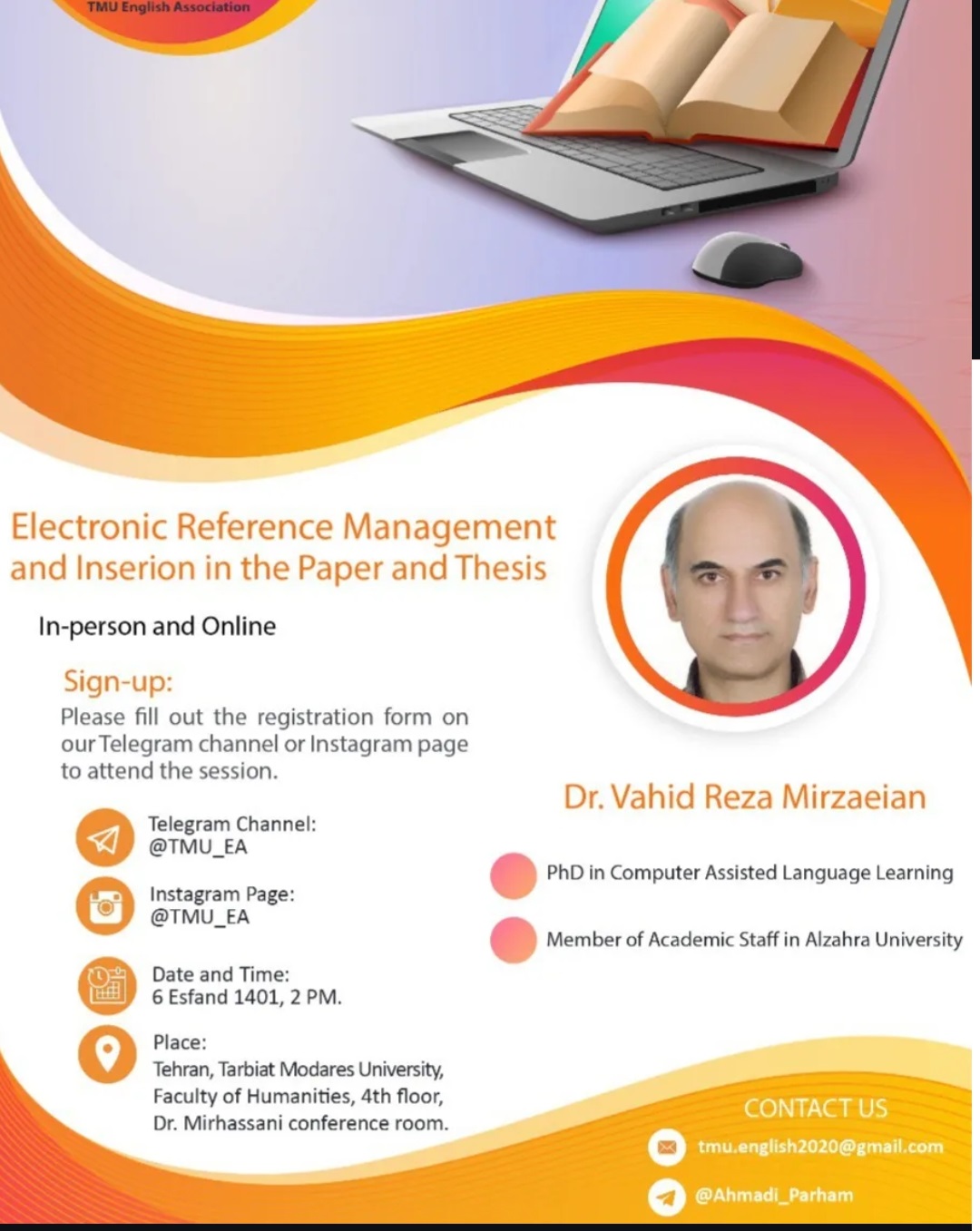
Reference Management
This workshop introduces participants to tools and techniques for efficiently collecting, organizing, and citing academic sources using software such as Zotero, Mendeley, or EndNote. It covers how to import references from databases, manage libraries and folders, attach PDFs and notes, and generate citations and bibliographies automatically in different citation styles (APA, MLA, Chicago, etc.). Participants also learn how to integrate reference managers with word processors for seamless in-text citation insertion and how to maintain clean, accurate reference lists. By the end of the workshop, attendees gain the skills needed to streamline their research workflow, reduce citation errors, and save time in academic writing and publication.
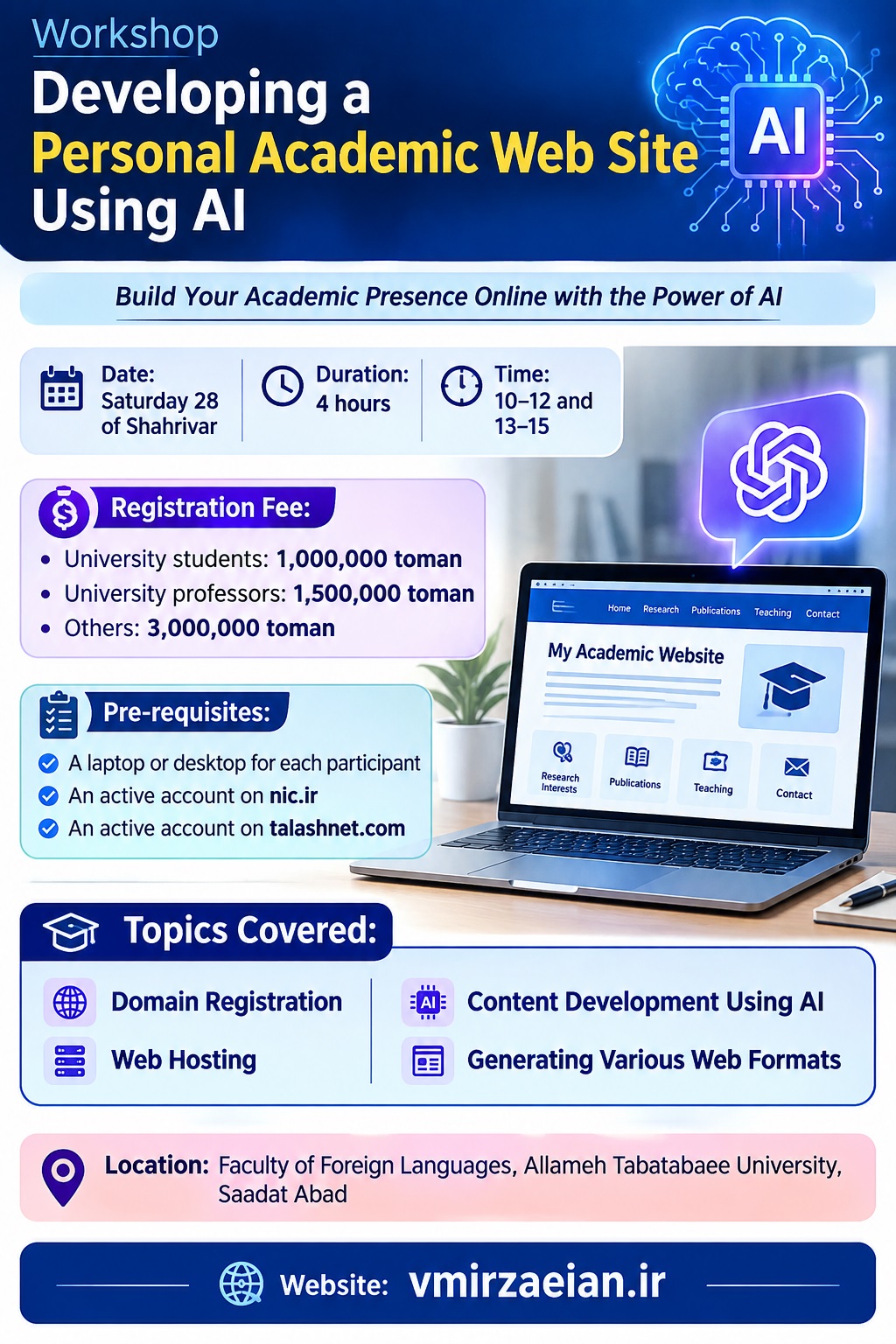
Personal Academic Website Development Using AI
This workshop introduces participants to tools and techniques for efficiently collecting, organizing, and citing academic sources using software such as Zotero, Mendeley, or EndNote. It covers how to import references from databases, manage libraries and folders, attach PDFs and notes, and generate citations and bibliographies automatically in different citation styles (APA, MLA, Chicago, etc.). Participants also learn how to integrate reference managers with word processors for seamless in-text citation insertion and how to maintain clean, accurate reference lists. By the end of the workshop, attendees gain the skills needed to streamline their research workflow, reduce citation errors, and save time in academic writing and publication.
Cloud Storage
This workshop introduces participants to the essential features and practical uses of Google’s cloud-based storage platform for organizing, accessing, and sharing files securely from any device. It covers how to upload, create, and manage files and folders; how to use Google Docs, Sheets, and Slides; and how to control permissions for sharing and collaboration. Participants learn about version history, syncing files across devices with Google Drive for desktop, and best practices for maintaining file organization and data security. By the end of the workshop, learners gain confidence in using Google Drive to store, collaborate on, and share documents efficiently for both personal and professional use.
Google Docs
This workshop teaches participants how to create, edit, and collaborate on documents using Google’s cloud-based word-processing tool. It covers essential skills such as formatting text, inserting images and tables, applying styles, and using built-in templates. The workshop also emphasizes real-time collaboration features, including sharing documents, adjusting permissions, adding comments, and tracking changes through version history. Participants learn how to integrate Google Docs with other Google Workspace tools, use add-ons to extend functionality, and manage documents within Google Drive. By the end, learners gain the ability to produce polished documents and collaborate efficiently from any device.
Google Sheet
This workshop introduces participants to the fundamentals of creating, organizing, and analyzing data in Google’s cloud-based spreadsheet application. It covers entering and formatting data, using basic formulas and functions, applying cell references, and organizing information across multiple sheets. Participants also learn how to sort and filter data, create charts for visualization, and use collaborative features such as sharing, simultaneous editing, comments, and version history. The workshop highlights practical tools like conditional formatting, data validation, and built-in templates to streamline tasks. By the end, attendees gain confidence in managing data efficiently and collaborating in real time from any device.
Google Slide
A Google Slides workshop helps participants learn how to create, design, and present visually engaging slide presentations using Google’s cloud-based tool. It covers essential functions such as selecting and customizing themes, adding and formatting text, inserting images, shapes, videos, and charts, and organizing slides for clarity and flow. The workshop also highlights collaborative features including real-time editing, sharing permissions, comments, and version history. Participants explore useful tools such as animations, transitions, presenter view, and importing templates. By the end of the session, learners can confidently build polished presentations and collaborate seamlessly from any device.
Google Forms
A Google Forms workshop teaches participants how to create, customize, and manage online forms and surveys using Google’s cloud-based tool. It covers designing forms with various question types, applying themes and multimedia, and organizing questions for clarity. Participants also learn how to set response validation, enable automatic notifications, and control access and permissions for respondents. The workshop emphasizes collecting and analyzing responses efficiently, including linking forms to Google Sheets for data management and visualization. By the end, attendees gain the skills to design professional surveys, quizzes, or registration forms and gather actionable data effortlessly.
Online Testing
An Online Testing workshop introduces participants to the principles and practical skills required to create, administer, and manage assessments in digital environments. It covers designing test questions in various formats (multiple choice, short answer, essays), setting up time limits, and applying scoring rules. Participants also learn how to use online testing platforms to monitor responses, provide instant feedback, and ensure academic integrity through features like randomized questions and secure access. The workshop highlights strategies for analyzing results, generating reports, and improving assessment effectiveness. By the end, attendees gain the confidence to conduct reliable and efficient online tests for educational or professional purposes.
Time Scheduling
This workshlp introduces participants to creating efficient and conflict-free timetables for schools, universities, or organizations using the FET (Free Timetabling) software. It covers setting up resources such as teachers, classrooms, subjects, and student groups, defining constraints and preferences, and generating automated schedules. Participants also learn how to adjust schedules manually, resolve conflicts, and export timetables in various formats for printing or digital use. By the end of the workshop, attendees gain the skills to produce practical, optimized timetables that save time, reduce errors, and improve organizational efficiency.
Latex
A LaTeX workshop introduces participants to the powerful typesetting system used for creating professionally formatted documents, especially in academic, scientific, and technical fields. It covers the basics of document structure, including sections, paragraphs, and environments, as well as formatting text, creating lists, and inserting tables, figures, and mathematical equations. Participants also learn how to manage bibliographies, citations, and references, and how to compile documents into PDF format. The workshop emphasizes best practices for consistency, automation, and precision in document preparation. By the end, attendees are able to produce high-quality, well-structured documents suitable for research papers, reports, and presentations.
Open Journal System
An Open Journal System (OJS) workshop introduces participants to the use of OJS, a widely used open-source platform for managing and publishing scholarly journals online. The workshop covers setting up and configuring journals, submitting and tracking manuscripts, managing peer review processes, and editing and publishing articles. Participants also learn how to handle user roles, communicate with authors and reviewers, and maintain journal archives. Additionally, the session highlights best practices for ensuring quality, accessibility, and compliance with academic publishing standards. By the end, attendees gain the skills to efficiently manage the editorial workflow and publish professional, peer-reviewed journals online.
LMS Moodle
A Learning Management System (Moodle) workshop introduces participants to Moodle, a widely used platform for creating, managing, and delivering online learning experiences. It covers setting up courses, enrolling users, and organizing content using modules such as lessons, assignments, quizzes, and forums. Participants also learn how to track learner progress, provide feedback, grade assessments, and use interactive features to engage students. The workshop highlights best practices for course design, communication, and resource management within the LMS. By the end, attendees gain the skills to effectively create, manage, and facilitate online learning environments that enhance teaching and learning outcomes.
Wordbasic Programming
A WordBasic Programming workshop introduces participants to WordBasic, the legacy scripting language used to automate tasks and customize Microsoft Word before the advent of VBA (Visual Basic for Applications). The workshop covers creating and running macros, writing simple scripts to automate repetitive tasks, manipulating text and document elements programmatically, and understanding the structure of WordBasic commands. Participants also learn basic debugging techniques and how to enhance productivity by combining multiple commands into automated workflows. By the end of the session, attendees gain the skills to streamline document processing, reduce manual effort, and harness the power of Word automation effectively.
Python Programming
A Python workshop introduces participants to Python, a versatile and widely used programming language, and teaches the fundamentals of writing and running Python code. It covers core concepts such as variables, data types, operators, control structures (loops and conditionals), functions, and basic data structures like lists, dictionaries, and tuples. Participants also learn how to read from and write to files, handle errors, and use Python’s standard libraries for simple tasks. The workshop emphasizes practical, hands-on exercises to solve real-world problems and build small programs. By the end, attendees gain the skills to write basic Python scripts, automate tasks, and lay a strong foundation for more advanced programming and data analysis projects.
Prolog
A Prolog workshop introduces participants to Prolog, a logic programming language widely used in artificial intelligence, computational linguistics, and knowledge-based systems. It covers the fundamentals of declarative programming, including facts, rules, and queries, as well as how to represent knowledge and solve problems using logical inference. Participants learn to write simple programs to perform tasks such as pattern matching, symbolic reasoning, and database-like searches. The workshop also explores recursion, lists, and built-in predicates to build more complex solutions. By the end, attendees gain the ability to model problems logically and develop Prolog programs that reason and answer queries effectively.
Microsoft Access
A Microsoft Access workshop introduces participants to Microsoft’s relational database management system, enabling them to create, manage, and analyze structured data efficiently. The workshop covers designing tables, defining relationships, and setting primary keys, as well as creating queries to extract and manipulate data. Participants also learn how to build forms for easy data entry, generate reports for clear presentation, and use macros to automate tasks. Emphasis is placed on maintaining data integrity, organizing databases effectively, and performing practical data management tasks. By the end of the workshop, attendees gain the skills to design functional databases, streamline data handling, and produce meaningful insights from stored information.
Demo Builder
A Demo Builder workshop introduces participants to software tools used for creating interactive demonstrations, tutorials, and e-learning content. The workshop covers recording screen activities, adding annotations, text, images, and audio narration, and incorporating interactive elements such as quizzes, buttons, and navigation controls. Participants also learn how to edit and enhance demos, publish them in various formats (video, HTML5, or SCORM for LMS integration), and optimize content for learner engagement. By the end, attendees gain the skills to produce professional, engaging instructional demos that effectively communicate processes, software use, or educational content.
Wordpress
A WordPress workshop introduces participants to building and managing websites using WordPress, one of the most popular content management systems. It covers setting up a WordPress site, choosing and customizing themes, creating and organizing pages and posts, and installing essential plugins to extend functionality. Participants also learn about managing media, configuring menus, optimizing site settings, and implementing basic security and SEO practices. The workshop emphasizes practical, hands-on skills for creating professional-looking websites without advanced coding knowledge. By the end, attendees are able to build, customize, and maintain functional websites for personal, business, or educational purposes.
Netsupport School
A NetSupport School workshop introduces participants to NetSupport School, a classroom management software designed to enhance teaching and learning in both physical and virtual classrooms. The workshop covers core features such as monitoring and controlling student devices, sharing screens, sending messages, conducting polls and quizzes, and providing real-time feedback. Participants also learn how to manage class sessions, track student progress, and facilitate collaborative activities while maintaining classroom discipline. By the end of the workshop, attendees gain the skills to use NetSupport School effectively to engage students, support instruction, and create an organized, interactive learning environment.
Computer and Language Lab Management
A Classroom Management Software workshop introduces participants to digital tools designed to organize, monitor, and enhance teaching and learning in both physical and virtual classrooms. The workshop covers features such as managing student devices, monitoring progress, sharing instructional content, conducting assessments, facilitating collaborative activities, and providing real-time feedback. Participants also learn strategies for maintaining engagement, promoting discipline, and optimizing classroom workflow using the software’s reporting and analytics tools. By the end of the workshop, attendees gain the skills to leverage classroom management software to create an interactive, efficient, and well-organized learning environment.
Weblog
A Weblog (Blog) workshop introduces participants to creating, managing, and publishing content on the web through blogs. It covers selecting a blogging platform, setting up a blog, writing and formatting posts, adding images, videos, and links, and organizing content with categories and tags. Participants also learn strategies for engaging readers, enabling comments, promoting content on social media, and applying basic SEO techniques to increase visibility. The workshop emphasizes practical skills for consistent content creation and effective online communication. By the end, attendees are able to design, maintain, and manage a professional or personal blog that reaches and engages an audience.
Online Questionaire
An Online Questionnaire workshop introduces participants to designing, creating, and distributing digital surveys to collect data efficiently. It covers selecting the right question types (multiple choice, Likert scales, open-ended), structuring questionnaires for clarity, and using online tools like Google Forms, Microsoft Forms, or SurveyMonkey. Participants also learn how to set response validation, control access and anonymity, and analyze collected data using built-in reporting features. The workshop emphasizes best practices for maximizing response rates and ensuring data quality. By the end, attendees gain the skills to create professional online questionnaires and gather actionable insights effectively.
Online Data and File Collection
An Online Data and File Collection workshop introduces participants to tools and techniques for efficiently gathering, organizing, and managing digital data and documents from multiple sources. It covers creating online forms and surveys, setting up cloud storage systems, and using collaboration platforms to collect files from individuals or groups securely. Participants also learn best practices for organizing submissions, ensuring data integrity, maintaining privacy and security, and integrating collected data with spreadsheets or databases for analysis. By the end, attendees gain the skills to streamline the process of online data and file collection for research, administrative, or organizational purposes.
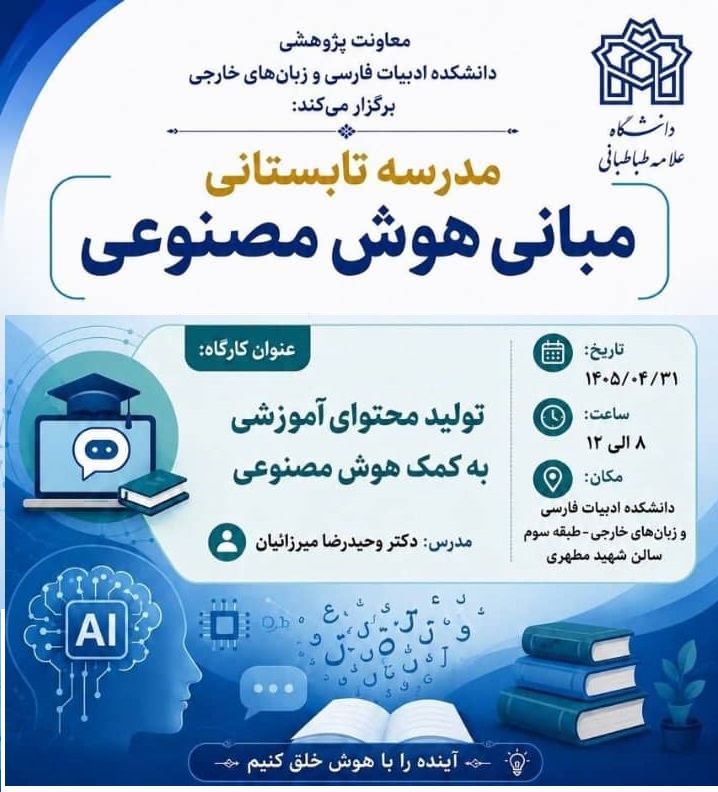
Educational Content Development Using AI
The Educational AI Content Development workshop introduces participants to the use of Artificial Intelligence tools for designing, developing, and enhancing educational content. Participants learn how to use generative AI to create lesson materials, learning activities, presentations, quizzes, assessments, instructional videos, and personalized learning resources. The workshop also covers effective prompt design, adapting AI-generated content to learners’ needs and proficiency levels, evaluating the accuracy and quality of AI outputs, and applying ethical and responsible AI practices in education. Through hands-on activities, participants develop practical AI-assisted educational materials that can be directly integrated into their teaching and training environments.
Corpus Linguistics
A Corpus Linguistics workshop introduces participants to the study of language through large collections of real-world texts, known as corpora. It covers the principles of corpus design, data collection, and annotation, as well as methods for analyzing linguistic patterns, frequency, collocations, and concordances using specialized software. Participants also learn how to interpret results for applications in language teaching, translation, lexicography, and linguistic research. The workshop emphasizes practical hands-on experience with corpus tools and data-driven approaches. By the end, attendees gain the skills to explore language empirically, uncover patterns, and apply corpus-based insights in academic or professional contexts.
Your suggestion
You suggest the topic and the workshop will be presented.